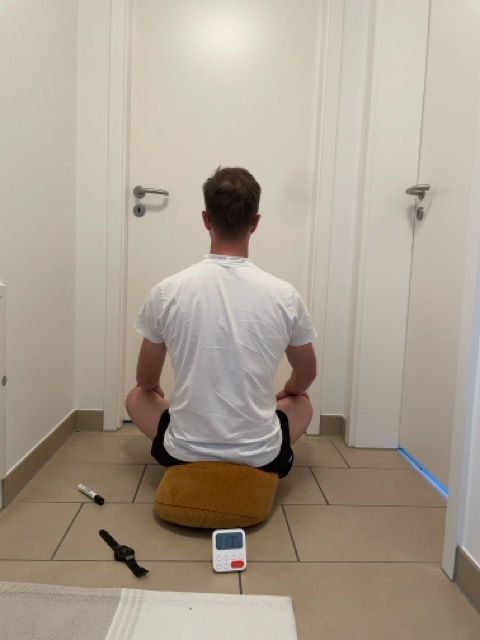
Why I decided to spam you on Twitter

March 7th, 2010

Like almost everybody I know I despise the useless updates by apps like Fourspare and Farmvill that clutter Twitter and Facebook with useless information.

But if you follow me on Twitter, you might have noticed that I myself allowed the Hundred Pushups iPhone app to post updates to my Twitter feed. Why this change of mind?

Doing a pushup (not me)First, let me explain what the app does. The goal of the Hundred Pushups iPhone app is, who would have guessed, to enable you to do 100 consecutive pushups. It offers a six week training program* and allows you to log your workouts. It’s definitely not the greatest app ever and has lots of room for improvement but  it gets the job done: when I started training with the app on the 25th of January, I could do 37 consecutive pushups. Today, about 6 weeks and 15 workouts later, this number has more than doubled to 77.

That’s all well and good, you might intervene, but why boast with these numbers on Twitter?

Guess how I heard about the 100 pushups app for the first time? A status update on my Twitter feed caught my interest, I googled, found the site, bought the app and started training. I don’t remember who posted that update, but I’m really glad that person decided to do so. While the mere fact that you can do 100 pushups buys you nothing, a strong upper body definitely has its benefits.

At first, I was reluctant to allow the app to post on Twitter, because I didn’t want to annoy my followers with useless updates. But after seeing good progress, I decided that posting my progress to Twitter might be actually of value to somebody.

If my tweets motivate only one of my 197 followers to complete this training program, it is well worth pissing of the other 196.

* 100 pushups in six weeks sounds to good to be true? Well, calling it a six week program is a bit, let’s say, optimistic. It would be more accurate to call it a six level training program. The levels, which are named week 1 to 6, get more and more difficult and at some point, your progress will stagnate. I was able to keep up with the first three weeks, but I’m struggling to complete week 4. Still, a 100% increase in 6 weeks isn’t to bad and I’m confident that I’ll achieve the 100 in the not so far future.

Image adapted from  “I Knew Pushups Would Pay Off Someday” by reid.gilman, licensed under Creative Commons BY-NC

21st Web Montag in Cologne

January 19th, 2010

Yesterday evening, the 21st Web Montag Cologne took place. The list of participants had already been growing constantly during the last days before the event, but when @fbz, @scompt and me arrived at ~19:30, I was surprised anyway how many people where already there and engaged in lively discussions. Starting from 8 o’clock, three talks were given.

Jörn Zaefferer (@bassistance) presented the newly released jQuery 1.4. It offers new features and also an improved performance. If you use jQuery, it might be worth upgrading, despite some backwards-imcompatibilities. A lot of work has also been done on the website and the documentation.

Christoph Beckmann (@cbek) talked about his experiences surviving a traffic peak caused by TV appearance with the help of Amazon Web Services. The solution involved migrating the Loo2Go server to a big EC2 instance and using several caching servers. While the costs were marginal, the approach seems very labour intense to me.

Michael presented a new MVC framework written in PHP which was heavily influenced by his experiences working with Ruby on Rails.

After the talks, the discussions continued. All in all, it was once again a very interesting evening, thanks everybody for participating.

The next Web Montag in Cologne will probably be on the first or second Monday in March, so mark these dates in your calendar.

How to solve the 36 Cube puzzle – hints & solution

January 10th, 2010

For Christmas, I got the 36 Cube puzzle. It is consists of 36 towers in 6 colors and 6 different sizes and a base plate with 6 by 6 slots to plug in the towers. These slots are of different heights. The goal is to place one towers of every color in each row and column. And the  towers must fit to form a level cube.

After some tries, I came to the conclusion that this puzzle is the work of the devil and that I should not waste more brain cycles on solving it. So I wrote a little python script to solve the puzzle for me.

Show sourcecode

My program quickly came up with a correct placement for 34 towers – but it failed to find the complete solution.

[('P', 5), ('Y', 3), ('O', 2), ('B', 1), ('R', 4), ('G', 6)]
[('Y', 4), ('O', 1), ('P', 6), ('R', 2), ('G', 5), ('B', 3)]
[('O', 6), ('B', 5), ('R', 3), ('G', 4), ('P', 1), ('Y', 2)]
[('R', 1), ('G', 2), ('Y', 5), ('P', 3), ('B', 6), ('O', 4)]
[('B', 2), ('P', 4), ('G', 1), ('Y', 6), ('O', 3), ('R', 5)]
[('G', 3), ('R', 6), ('B', 4), ('O', 5), ('X', 2), ('X', 1)]

Legend:
P = Purple, Y = Yellow, O = Orange, B = Blue, R = Red, G = Green, X = Empty
The number is the size of the tower.
As you can see, I didn’t waste much time on making the output pretty :)

36cube almost solved

So close and yet so far

After spending lots of time verifying that my program was working correctly, I became impatient and googled for help. I found an answer, but it revealed to much, taking all the fun.

Therefore, I split my solution into multiple hints. If you are stuck, reveal just one of them at a time and try to figure it out by yourself. It is way more rewarding!

Hint #1 (show):

Hint #2 (show):

Hint #3 (show):

Hint #4 (show):

Hint #5 (show):

Even if you uncovered all hints, the puzzle is still far from solved. You can still tinker with it forever.

Spoiler alert: Don’t uncover the solution, unless your are really desperate!

Solution (show):

Asus EEE PC 901 with RunCore Pro IV SSD

November 4th, 2009

A couple of weeks ago, I wrote about upgrading the SSD of my EEE PC 901 and the mixed results I got. I decided to return it and wait until a faster SSD by RunCore becomes available. Today, I received my brand new RunCore Pro IV SATA 70mm Mini PCIe SSD 32 GB (what a name!).

As I already wrote in my earlier post, swapping the SSD is really easy.

  1. Backup your data. If you want to reuse your current installation, use some imaging software. I booted from an Ubuntu Live CD and used dd.
  2. Turn off your EEE, remove AC and battery.
  3. Loosen the two screws of the lid on the bottom and remove the lid. You might have to apply a little bit of force with a flat screw driver.
  4. Loosen the two screws that hold the SSD in place. Make sure the don’t fall into the case. If the do, you absolutely must find them before you plug in AC or the battery, otherwise you risk a short-circuit.
  5. Replace the old SSD with the new one.
  6. Fix the SSD, put on the lid, restore your image. Done!

If anyone asks nicely, I can take some pictures of the process, but it is really simple. The only special tool you need is a very small Philips screwdriver. There was one in the box with the SSD, but it wasn’t small enough.

After swapping the drive and restoring the image, I booted the device for the first time. The EEE detected the drive without problem and I noticed immediately that the system was snappier. Then I ran the benchmark:
Benchmark Runcore Pro IV SSD

The sequential and 512k read performance is on par with the Super Talent SSD, but the write performance is miles ahead. To be honest I expected even faster write speeds, but I’m far from disappointed. The benchmark result is 7.5 times faster than the Super Talent SSD and a ridiculous 93x better than the stock SSD. Way to go, RunCore!

Older benchmark results:

Benchmark of Super Talent SSD

Benchmark of Super Talent SSD

Benchmark of EEE PC 901 onboard SSD

Benchmark of EEE PC 901 onboard SSD

Disclaimer: I’m not affliated with any of the companies mentioned, I’m just excited that my little EEE PC might be usable again. If you think about dumping it for a new device, consider upgrading the SSD.

Automatic plugin update problem in Wordpress 2.8.x

September 26th, 2009

After upgrading Wordpress to the current version, I could no longer automatically update plugins. This is the error message I got:

Downloading update from http://downloads.wordpress.org/plugin/xxx.zip.

Unpacking the update.
Warning: unlink(/…/wp-content/upgrade/xxx.zip) [function.unlink]: No such file or directory in /…/wp-admin/includes/class-wp-upgrader.php on line 146

Incompatible archive PCLZIP_ERR_MISSING_FILE (-4) : Missing archive file ‘/…/wp-content/upgrade/wp-syntax.0.9.8.zip’

After digging through the forums I found a solution to the plugin autoupdate problem in the Wordpress Support forum.

Open the file wp-config.php in the root directory of your Wordpress installation and remove the definition of the WP_TEMP_DIR variable, i.e. a line that looks like this

define('WP_TEMP_DIR', ABSPATH . "wp-content/upgrade");

Asus EEE PC 901 SSD Upgrade

September 26th, 2009

Update: Upgrade instructions and benchmark of the EEE 901 with an even faster SSD.

Recently, I upgraded the harddisk of my EEE PC. It comes with a 4 GB onboard SSD which in quite slow, and a 8 GB SSD which is even slower. A benchmark shows just how slow it is.

Benchmark onboard SSD

After reading the test of the RunCore Pro IV SSD on jkkmobile, I decided it was time to upgrade. Unfortunately, the RunCore SSDs are hard to come by in Germany, so I bought a 32 GB Super Talent PCIe SSD (FPM32GLSE) for about 100 €, expecting similar performance.

I made an image of the old drives and upgraded the BIOS to the newest version. To my surprise, installing the drive was as simple as swapping the RAM module.

After restoring the images to the new drive, I ran the benchmark again.

Benchmark Super Talent SSD

Overall, the Super Talent SSD outperforms the onboard SSD. Sequential writing is a bit slower, but sequential reading is more than 3x faster. 4k writing is about 12x faster, but the absolute value of 0.7 MB/s is still quite low. A RunCore Pro IV should get about 16 MB/s which is 20x more.

YouTube to sevenload Bookmarklet

May 11th, 2009

Say you find a video on YouTube and you want to share it with your friends on sevenload. Now what?

YouTube to sevenload Bookmarklet to the rescue!

Just drag the link below to your bookmark toolbar:

YT2SL

If you are watching a video on youtube.com, click the bookmarklet to get redirected to the same video on sevenload.

YouTube video

http://www.youtube.com/watch?v=YB1olxLwBWI

becomes

http://de.sevenload.com/item/yt/YB1olxLwBWI

http://de.sevenload.com/item/yt/YB1olxLwBWI

You can also manually create a bookmark with this adress (make sure to remove linebreaks):

javascript:l=document.location;m=’Not a YouTube video!’;if(l.host.search(/youtube.com$/)==-1){alert(m);}else{a=l.search.substr(1).split(‘&’);v=”;for(var i in a){k=a[i].split(‘=’);if(k[0]==’v'){v=k[1];break;}}}if(v==”){alert(m);}else{window.location=’http://de.sevenload.com/item/yt/’+v}

Slides from EuroDjangoCon

May 5th, 2009

These are the slides and code of talks given at the EuroDjangoCon, which is held in Prague from May 4th to May 6th. This information can also be found in the EuroDjangoCon Wiki.

Day 1:

Day 2:

Day 3:

Other:

This post will be updated over time. Please leave a comment if you think something is missing.

WLAN an der Uni Karlsruhe (DUKATH) mit Ubuntu 8.10

December 17th, 2008

Ubuntu hat inzwischen eine ziemlich gute WLAN-Unterstützung. Lange Zeit konnte DUKATH nur[1] mit einem VPN-Client genutzt werden, inzwischen geht das auch per WPA. Laut Anleitung des Microbit [PDF] soll man ein Skript schreiben um den Zugang zu nutzen. Unter Ubuntu geht es aber auch etwas einfacher:

Auf das Symbol des Netzwerk-Manager-Applet klicken:

Das Netzwerk dukath-??x auswählen.

?? hängt vom Standort ab. Beim RZ gibt es eine Übersicht über die verwendeten SSIDs.

Auswahl DUKATH-Accesspoint

Auswahl DUKATH-Accesspoint

Im darauf folgenden Dialog die richtigen Werte eintragen:

Einstellungen DUKATH

Einstellungen DUKATH

Bei Zertifikat sollte das Deutsche Telekom Root CA 2 Zertifikat ausgewählt werden.

Benutzername und Passwort entsprechen denen bei der Verwendung von VPN.

Fertig!

[1] Der Zugang über das DUKATH Web-Interface sollte nur in Notfällen genutzt werden, da die Verbindung nicht verschlüsselt wird und deshalb einfach abgehört werden kann.

Features are not key to success

December 10th, 2008

At least not for social networks. A blog by Robert Basic about new features at blepper, a German Twitter alternative, got me thinking.

What is the main feature of a social network? Connecting people! And to enable connections between people, you have to reach a critical mass of people first.

There is already a million ways to connect to other people. Facebook, Myspace, LinkedIn, Twitter, and German services like StudiVZ, WKW, XING…

Most of them are not perfect. But just providing a more feature-rich service than an established competitor is a recipe for disaster. Pownce had to learn this the hard way. Facebook never really took off in Germany, because StudiVZ took the German market first. My experience is that almost every German you find on Facebook, met people abroad. She didn’t sign up for the better photo gallery, but for people.

StudiVZ grew big fast and then sucked for a long period of time. Lots of performance and privacy issues. People stayed.

Twitter grew big fast and then sucked for a long period of time. Lots of performance issues. People stayed.

I simply can’t think of one example where a new social network overtook an established competitor due to features.